AI planning · 7 min
We tested an AI trip planner with a three-day Tokyo brief
The first draft omitted day three and did not account for travel between stops. Here is the review process we used before treating it as an itinerary.
TripNotePlan Development and Operations Team
Published · Updated
How this guide was made
- We sent a controlled, fictional three-day Tokyo brief to Gemini 3.1 Flash-Lite and retained a normalized audit transcription of the first response before reviewing it.
- We compared the requested constraints with the returned days, place count, route notes, and items that still required human verification.
Verification evidence
- Test case
ai-tokyo-3d-v1- Platform
- Web /app
- Tested
- Build reference
9563001- Source record language
- Korean
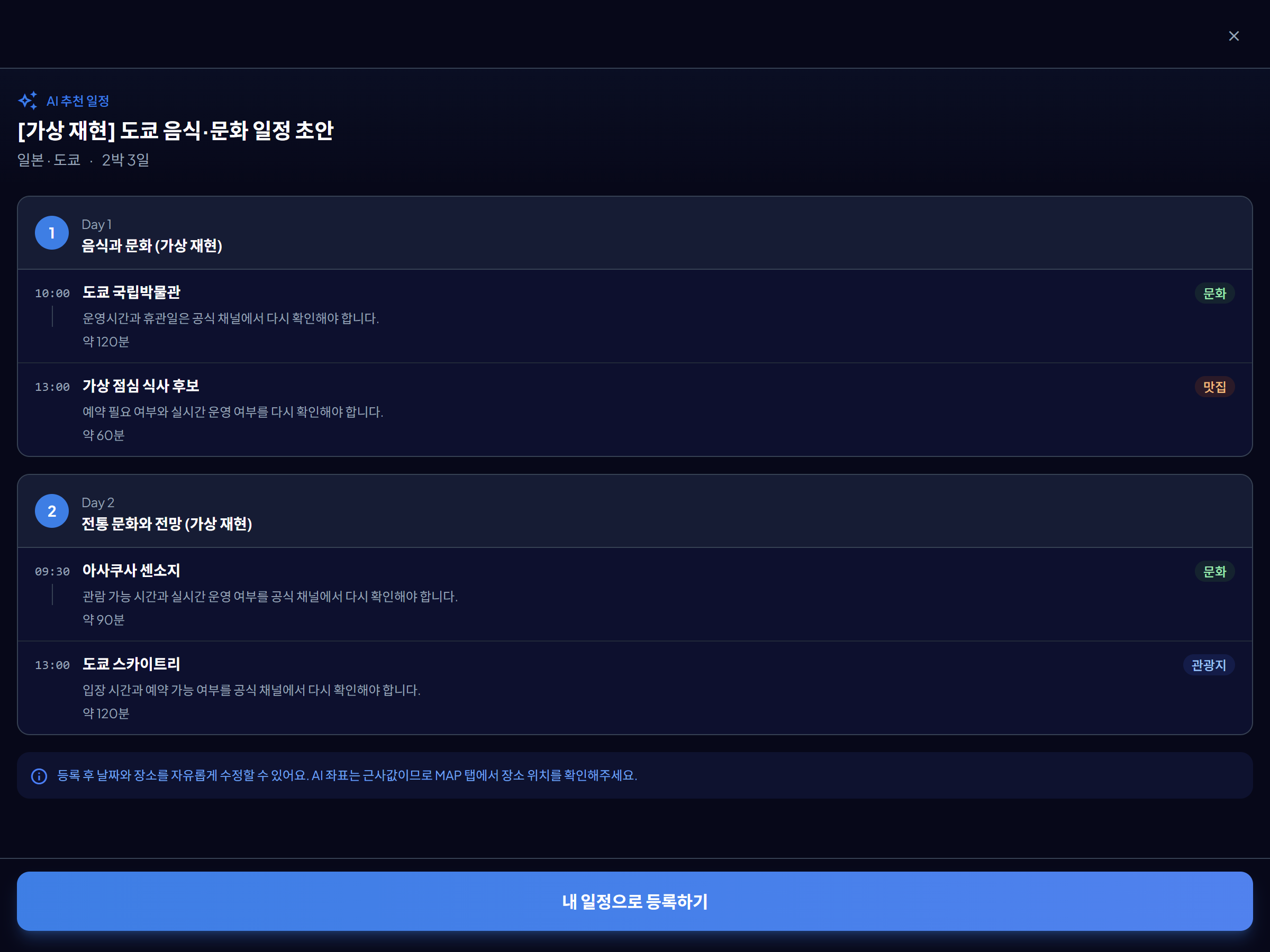
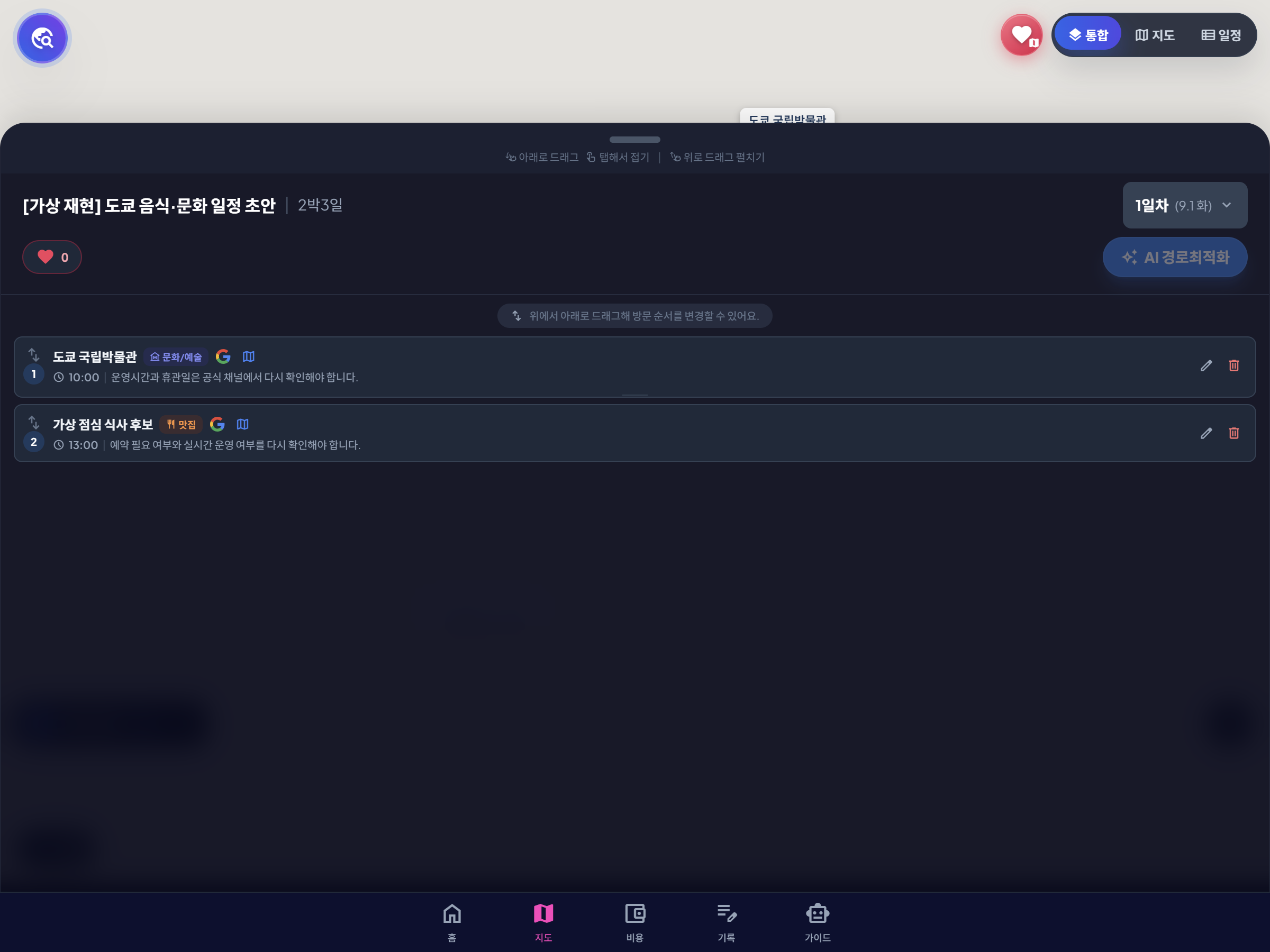
A normalized audit record of the controlled call from 2026-07-16 was retained, then its fictional itinerary screens were replayed in web /app on 2026-08-31 at Step 2 checkpoint 9563001. The response JSON is an audit transcription, not a verbatim provider response, and this did not test the signed-in app usage or quota path.
Screen records
Downloadable audit files
-
Controlled request JSON · JSON
Fictional three-day Tokyo brief with no personal information
-
Initial response audit JSON · JSON
Normalized transcription recording the omitted third day and missing travel-time blocks
-
Audit CSV · CSV
Constraint-by-constraint comparison of the request and initial response
On July 16, 2026, we ran a controlled test with fictional data: one adult, three days in Tokyo, food and culture as priorities, and no more than four core stops per day. The response created only day one and day two. It also listed time at places without adding the travel time between them. The useful part of the test was not the draft itself, but the checklist of issues a traveler still had to resolve.
The brief was designed to be easy to audit
We did not include a real name, hotel booking, or user itinerary. The input was limited to facts that could be checked against the output: traveler count, destination, number of days, interests, and a daily stop limit.
A testable prompt is more useful than an open request for “the best trip.” If the prompt names three days, the output should contain three days. If it requests meal and buffer time, those blocks should be visible rather than implied.
| Field | Input | What it let us check |
|---|---|---|
| Traveler | 1 adult | No family or group assumptions |
| Destination | Tokyo | Single-city structure |
| Duration | 2 nights / 3 days | Whether all three days appeared |
| Priorities | Food and culture | Whether suggestions stayed focused |
| Daily limit | Up to 4 core stops | Whether the draft became overloaded |
What the first draft missed
The most visible failure was the missing third day. The draft also treated estimated time at a place as if it were enough to build the day, but moving between stations and entrances was not included.
The response warned that opening hours, reservations, and live availability still needed verification. That warning matters: an AI-generated place name is not evidence that the place will be open or bookable on your travel date.
| Check | Requested | Returned | Human action |
|---|---|---|---|
| Days | Days 1–3 | Days 1–2 | Add departure-day structure |
| Travel time | Meal and buffer time | Time at places | Insert route and transfer blocks |
| Operating details | Realistic schedule | Recheck warning | Use official venue sources |
| Reservations | Actionable plan | Not confirmed | Mark fixed bookings separately |
How we would turn the draft into a usable plan
First, add the missing departure day with check-out, luggage, and airport or onward travel. Second, calculate travel between every pair of stops using the transport mode you will actually use. Third, lock timed bookings and place meals and rest around them.
Optional places should stay outside the core schedule. In TripNotePlan, the draft can be assigned to trip days and reordered after the map review. The AI response is the starting material; the day count, route, and booking checks are the editorial work.
- Match the number of requested and returned days.
- Separate time at a place from time traveling to it.
- Verify opening hours and tickets on official sites.
- Keep at least one optional stop removable without breaking the day.
A prompt structure you can reuse
A concise reusable brief is: “Plan three days in Tokyo for one adult, focused on food and culture, with no more than four core stops per day. Show travel blocks, meals, rest, and which opening hours or bookings require verification.”
After generation, run a five-part review: day count, first and last stop, travel time, fixed reservations, and optional stops. Do not call the itinerary finished until those five checks have evidence outside the AI response.
Action checklist
- Confirm that every requested travel day exists.
- Add transfers and station navigation between stops.
- Verify hours, tickets, and reservations with current official sources.
- Mark optional stops before following the plan.
Sources checked
- Google AI for Developers · Gemini API models (checked )